15. Tooling overview
Status: draft
Chapter goal
Pick tools by the question you need answered, not by the vendor's promise. A tool earns its place when its findings turn into fixes with an owner. This chapter maps common questions to tools, then shows how a finding gets from a tool into the backlog and back to a verified fix.
The situation
A team with SwiftUI, legacy UIKit, CI and release pressure. It needs fast feedback on every PR and doesn't have time for a full manual pass on every change. The temptation is to buy a scanner, wire it into CI and call accessibility covered. Three months later the dashboard shows 400 findings, the CI gate is disabled because it was too noisy, and nobody knows which findings block a user.
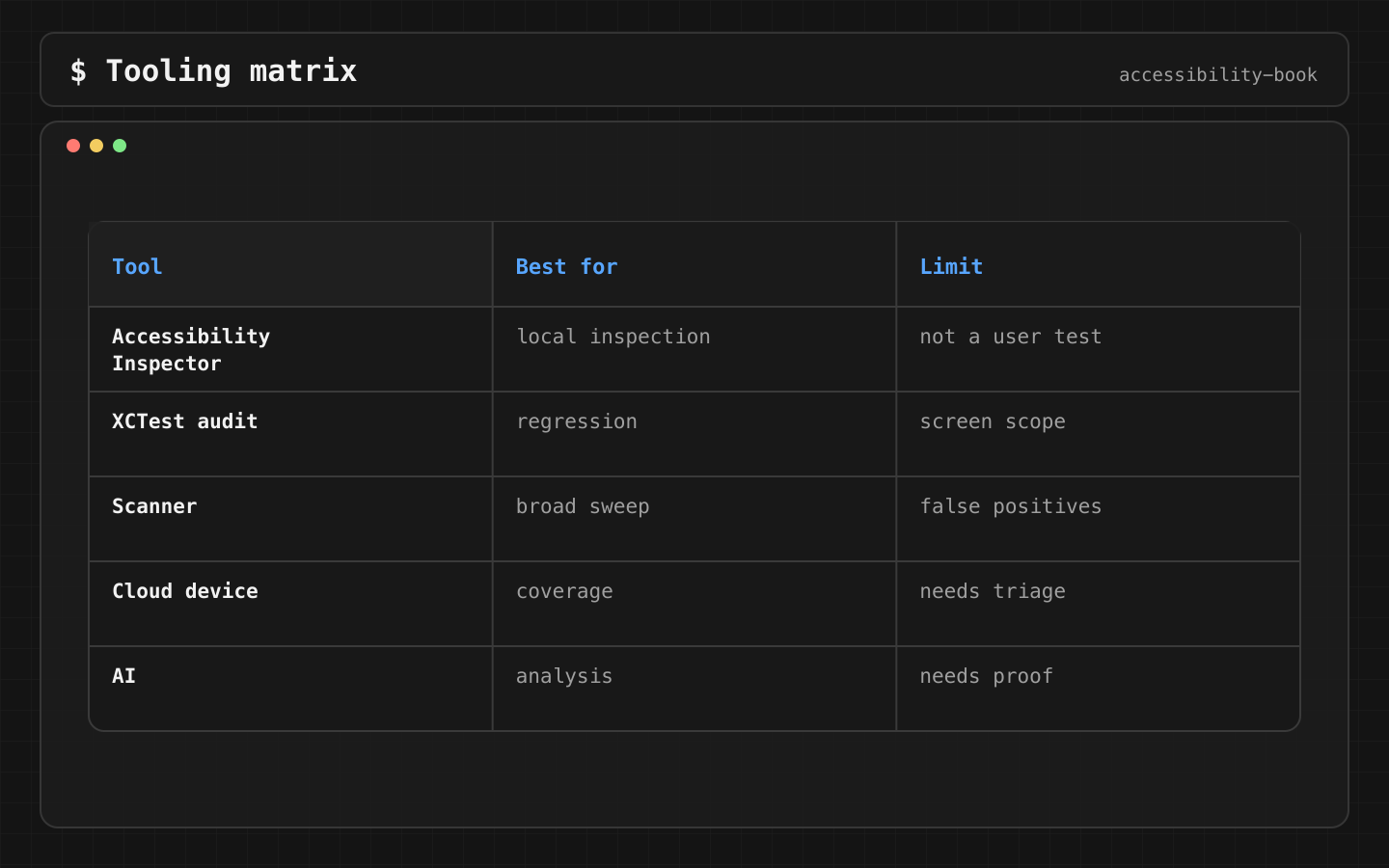
Question first, tool second
| Question | Tool | Cost |
|---|---|---|
| Does this element have a label, trait, enough contrast, a large enough hit area? | Accessibility Inspector (Xcode → Open Developer Tool) | Free, minutes |
| Did a PR break any of the above? | performAccessibilityAudit() in XCTest, in CI |
Free, set up once |
| Does the layout survive AX sizes, dark mode, Bold Text? | SwiftUI previews, snapshot tests across a settings matrix | Free to low |
| What does VoiceOver actually say, and where does focus go? | Device with Caption Panel. XCUIVoiceOverService on iOS 27+ |
Free, slow |
| Can the user complete the task with Switch Control or Voice Control? | Device, manual | Free, slow |
| Are there issues across hundreds of screens? | Commercial scanners (axe DevTools Mobile, Evinced and others) | Paid |
| Does it work on device models we don't own? | Cloud device farms (BrowserStack, Sauce Labs and others) | Paid |
Apple's tools and manual profiles answer most questions for free. Commercial tools add scale: more screens, more devices, dashboards, trends. They don't add answers to "can the user complete the task".
Constraints
- Apple tools and manual profiles first. Paid tools are added when the free layer is in place and the bottleneck is scale.
- A CI gate has to be quiet enough to keep. If it fails on noise, the team turns it off. Start with a few rules on a few critical screens, then grow.
- Cloud devices don't replace a local device for assistive technology. Remote VoiceOver audio, switches and Voice Control are limited or missing on most farms.
Decision 1: A finding names the blocked task
Verdict: a tool's message is translated into the user's task before it goes into the backlog.
Tool:        Element missing accessible name (checkout.pay)

Backlog:     VoiceOver user can't identify the Pay button
Flow:        checkout
Owner:       payments UI
Severity:    blocker
Also check:  Voice Control name, Switch Control stop
Why: "missing accessible name" on a decorative icon and on the Pay button are the same tool message and completely different severities. Only the task makes the difference visible.
Decision 2: Snapshot tests cover accessibility states
Verdict: the visual regression matrix includes the settings that break layout, not only light and dark.
For each critical screen:
  default
  Larger Text AX3 and AX5
  Bold Text
  dark mode + Increase Contrast
  error state
  longest localization (for example German), RTL (Arabic or Hebrew)
Why: clipping and overlap regressions happen at AX sizes and in long localizations. A matrix with only default and dark catches neither. Snapshot tests are cheap to run and run on every PR.
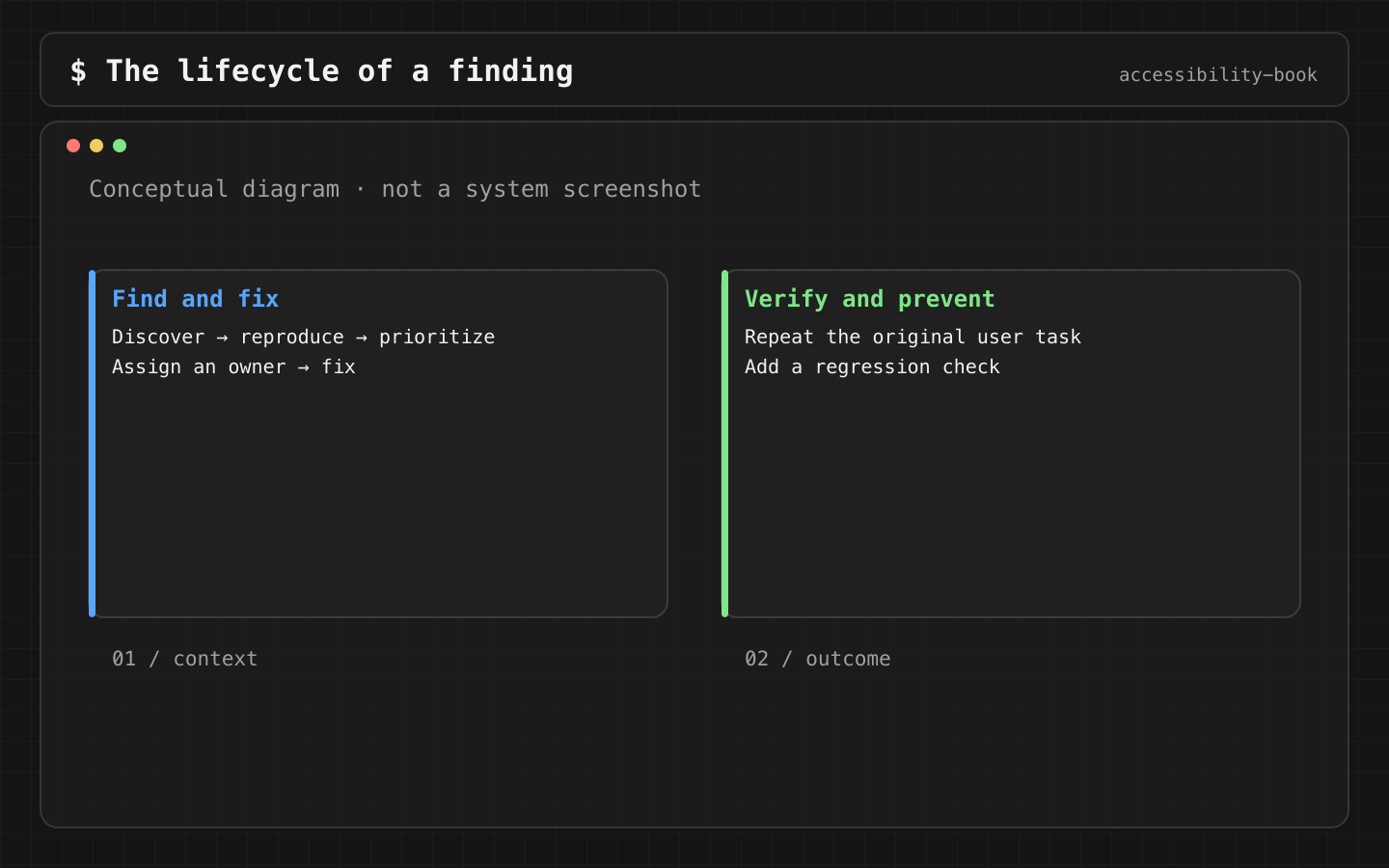
Decision 3: Every finding has a lifecycle
Verdict: detect → reproduce → triage → assign → fix → verify on the original task → add a regression check.
Why: tools stop at "detect". Without the rest, findings pile up on a dashboard. The last step matters most: if the fix has no regression check (an audit rule, a snapshot, a VoiceOver test), the bug comes back the next time the screen is redesigned.
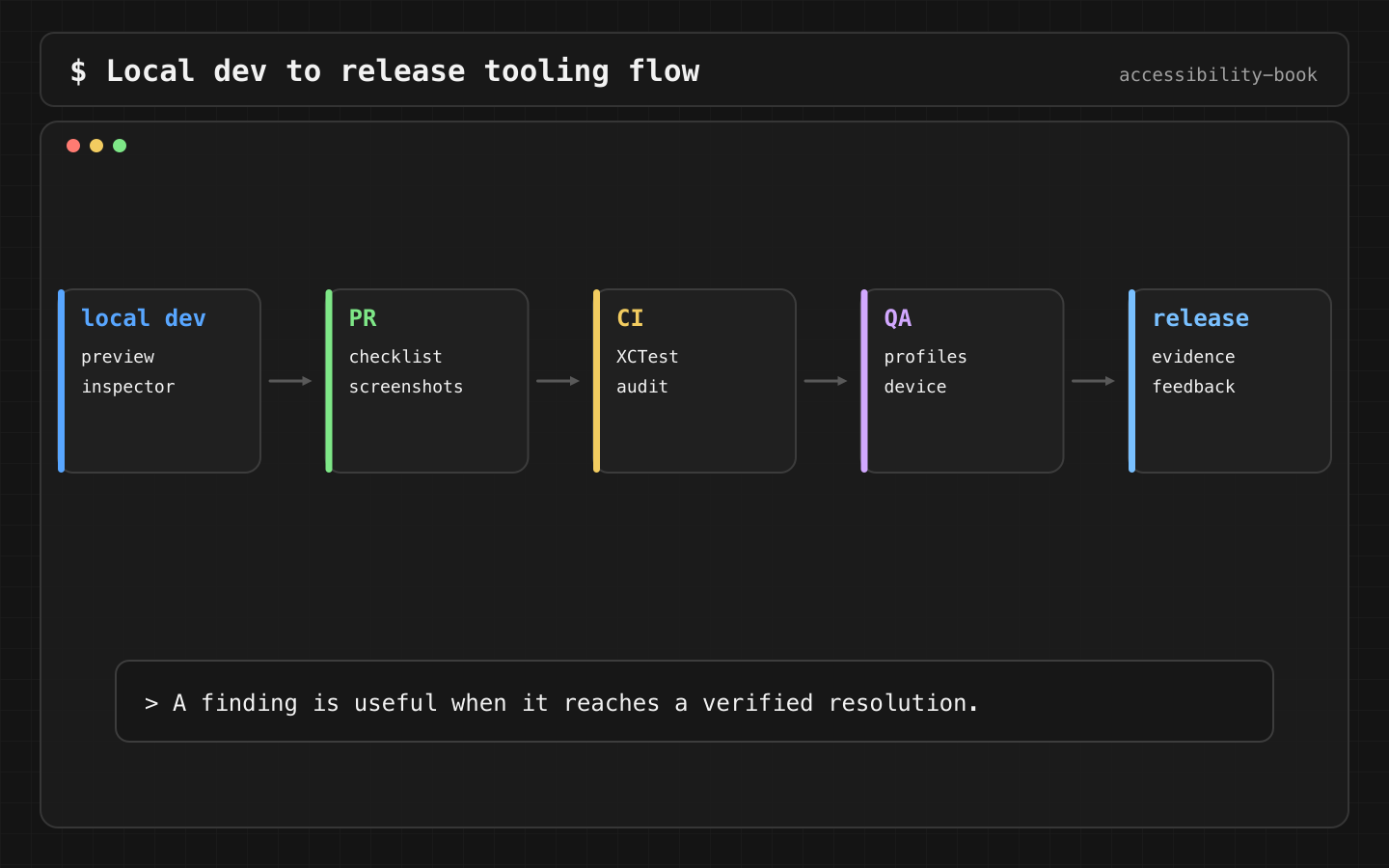
Format: Testing Evidence Record.
Starting from zero
A minimal stack that covers most bugs, in the order to add it:
- Week 1. Accessibility Inspector audit on the 5 critical screens. Fix what it finds.
- Week 2.
performAccessibilityAudit()on the same 5 screens in CI. - Week 3. Preview or snapshot matrix at AX3 for shared components.
- Every release. Manual VoiceOver and Larger Text walkthrough of the critical flows on a device.
- When the free layer is stable. Evaluate a commercial scanner if the number of screens is the bottleneck.
AI fits between steps: grouping scanner output by flow and impact, so the team fixes blockers first:
Group these scanner findings by flow. For each: user impact,
likely owner, and the manual check that confirms it.
What we don't do
- We don't buy a tool before there's a process for its findings.
- We don't let a scanner score stand in for a walkthrough (Scanner Theater).
- We don't let AI summaries stand in for verification (AI Verification Theater).
Platform notes
- SwiftUI and UIKit: the same Inspector, XCTest audit and VoiceOver service.
- AppKit: Accessibility Inspector works on Mac apps, and so does
performAccessibilityAudit. VoiceOver on Mac and keyboard-only checks are manual.
Related catalog entries
- Scanner Theater: scanner output without a walkthrough.
- AI Verification Theater: AI output without verification.
- Testing Evidence Record: one format for all findings.
- AI Assisted Triage: AI without letting it decide the release.
- Accessibility testing toolkit: guide.
Chapter takeaway
Start with the question. Apple tools and a device answer most of them for free. A tool that doesn't change the backlog is just another dashboard.
Sources
- Apple Developer: Accessibility Inspector
- Apple Developer: Performing accessibility audits for your app
- Apple Developer: Performing accessibility testing for your app
- Deque axe DevTools Mobile
- Evinced XCUI SDK
- Applitools Mobile Testing
- Sauce Labs: Accessibility Testing with Deque axe DevTools Mobile Drivers
- BrowserStack App Accessibility Testing