16. Team process
Status: draft
Chapter goal
Accessibility holds up between releases only when the process carries it: discovery, design, PR, QA, release, support. One champion fixing bugs before each release doesn't scale. This chapter splits the ownership by role and gives each role a checklist, a severity scale and an evidence format.
The situation
The feature is almost ready. QA finds three things two days before release: missing labels on new icons, clipped text at AX sizes, and focus that doesn't move to the payment error. Each fix is small. Together they push the release, and the same three bugs show up in the next feature too, because nothing in the process changed.
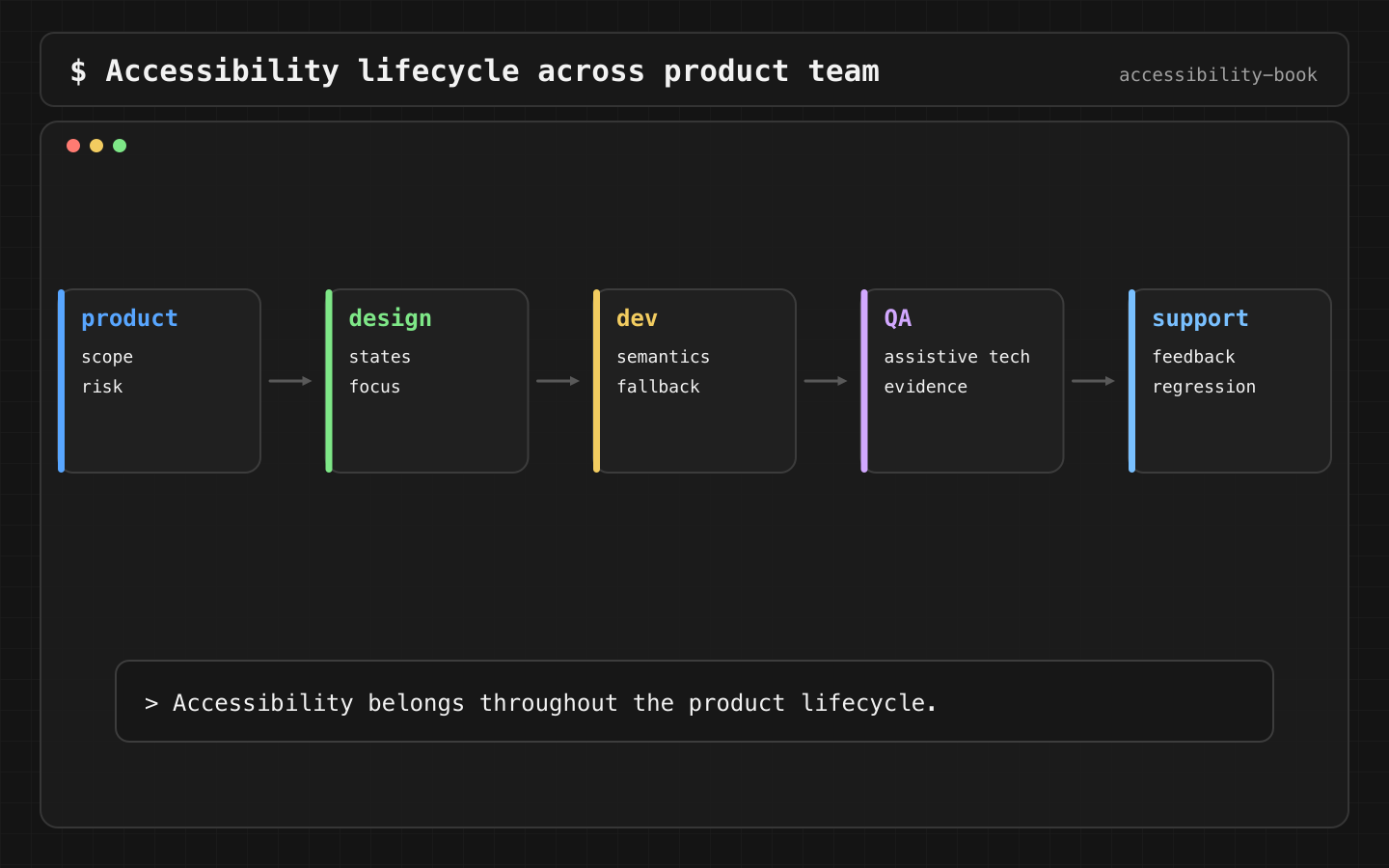
Who owns what
| Role | Owns | Output |
|---|---|---|
| Product | Which tasks are critical, legal scope, priority | Critical task list, scope note in the ticket |
| Design | All states, not just the default frame | Error, empty, loading, selected, disabled and AX-size frames |
| Engineering | Semantics, layout, focus | Code plus expected VoiceOver output in the PR |
| QA | Task evidence per profile | Evidence records (Chapter 13) |
| Release owner | Ship decision by severity | Go / no-go with known gaps listed |
| Support | Feedback from users | Tickets tagged and routed to the backlog |
Without this split, the usual smells appear: custom components bypass the design system, vendor screens escape review (Vendor Blind Spot), App Store labels are filled in as marketing (App Store Label Drift), and legal scope is discovered at the release meeting.
Constraints
- Critical tasks first. Checkout, account recovery, booking, support, payment method update. Not the easiest screen.
- Severity by blocked task, not by component. Same rule as Chapter 13.
- No claim without evidence. App Store labels, legal statements and vendor acceptance are based on recorded walkthroughs.
Decision 1: Definition of Done describes behavior
Verdict: the DoD lists what the user can do, not "checked accessibility".
Definition of Done (accessibility):
- Critical actions are reachable and named with VoiceOver
- Larger Text AX5 doesn't hide the primary action
- Selected and error states are in traits/values; errors move focus
- Every gesture has a button or accessibility action
- New custom components have expected VoiceOver output in the PR
- Support path reachable from the flow
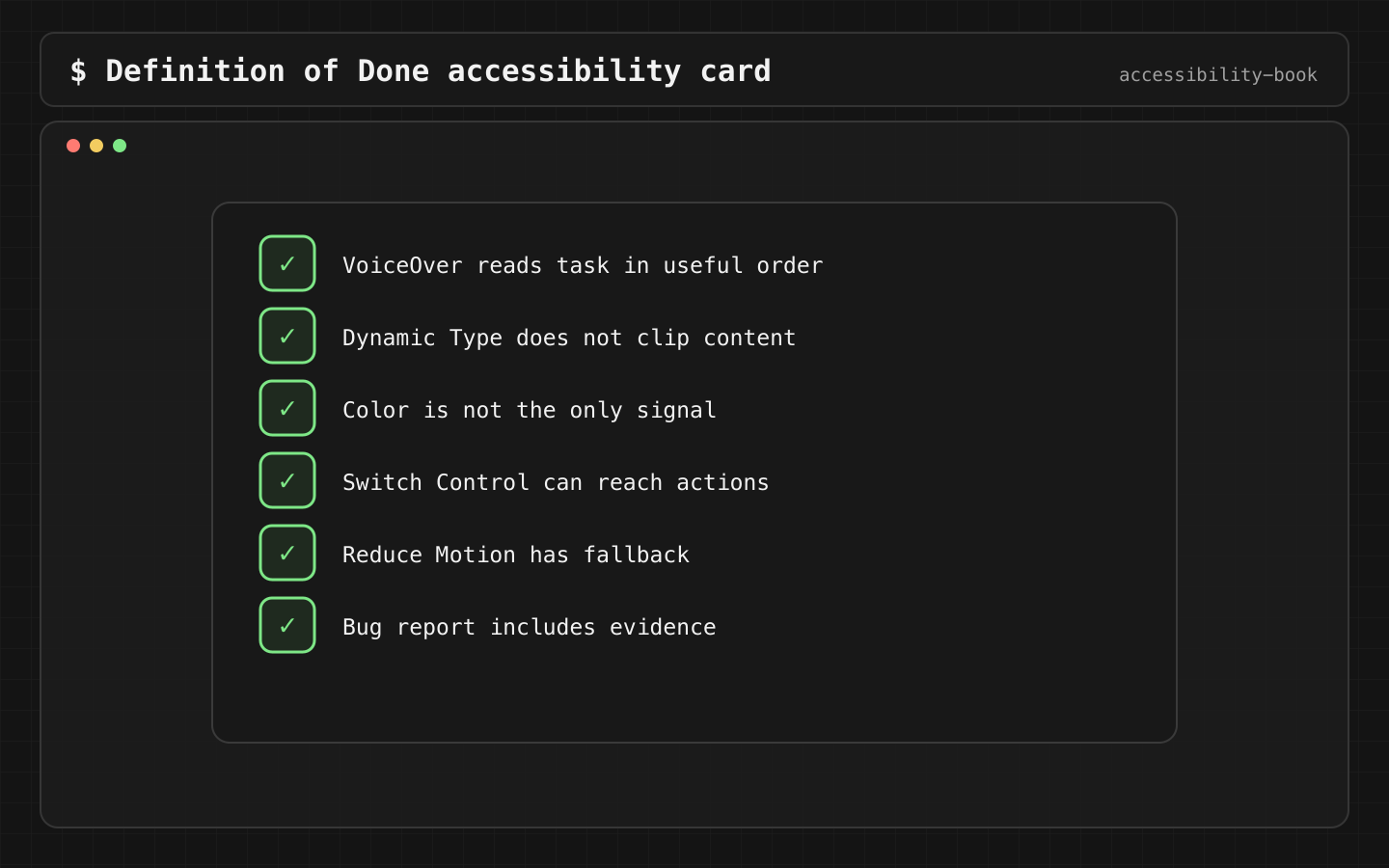
Why: "checked accessibility" can be ticked without doing anything. Each line above has a pass/fail check.
Decision 2: The PR template asks concrete questions
Verdict: every PR with UI changes answers six questions.
Accessibility:
1. Native control or custom? If custom, which traits/actions?
2. Label, value, trait for new elements:
3. Large text: screenshot at AX3 attached? (y/n)
4. Focus after modal or error: where?
5. Gesture alternatives:
6. Evidence: Inspector / audit / transcript
Why: a reviewer without a checklist reviews the logic and the visuals. Custom components ship without semantics because nobody asked. The template makes the author answer before the reviewer has to.
Details: Compliance Ready PR.
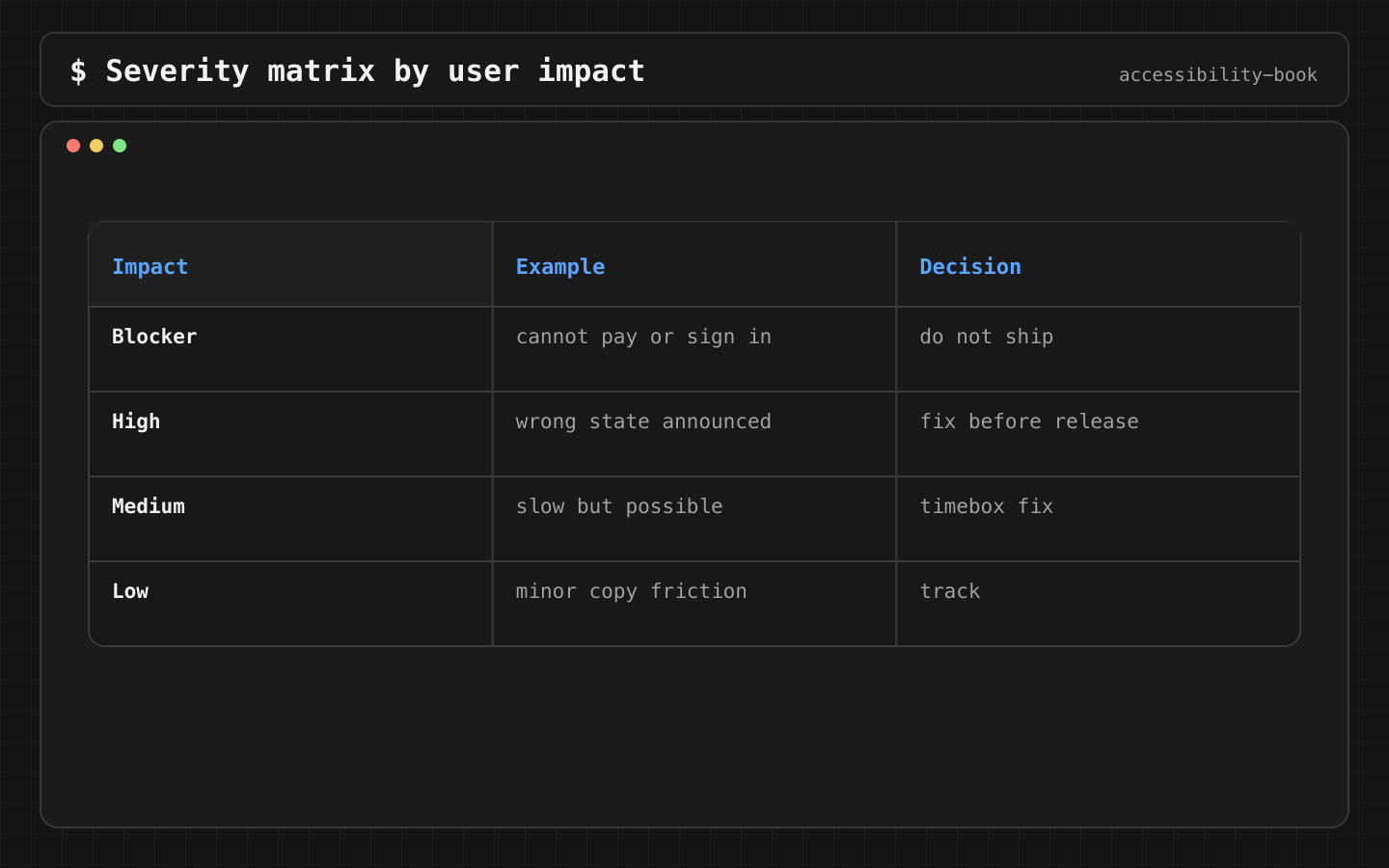
Decision 3: Severity follows the blocked task
Verdict: four levels, each defined by what happens to the user.
| Severity | Definition | Example | Release |
|---|---|---|---|
| Blocker | A critical task can't be completed with an assistive technology or setting | Pay button unnamed, checkout unreachable at AX5 | No ship |
| High | Task can be completed, but only with a workaround or help | Error not focused, user has to search for it | Ship only with a fix date |
| Medium | Extra effort, the task still works | Card read as 5 stops instead of 2 | Next sprint |
| Low | Noise or polish | Decorative image focusable | Backlog |
Decision 4: App Store labels come from evidence
Verdict: each Accessibility Nutrition Label is claimed only after the common tasks were walked through with that feature, and the evidence is stored.
The labels are: VoiceOver, Voice Control, Larger Text, Dark Interface, Differentiate Without Color Alone, Sufficient Contrast, Reduced Motion, Captions, Audio Descriptions. Apple's criterion is that users can complete the app's common tasks with the feature. Not every screen has to be perfect, but every common task has to work.
Label:      Larger Text
Device:     iPhone
Tasks:      login, search, checkout, order history, settings
Profile:    AX3 and AX5
Result:     all pass
Known gap:  map comparison view (not a common task), LEAF-512
Owner:      Maps team
Recorded:   2026-11-10, iOS 26.1
Why: a label is a public claim. A user who picks the app because of "VoiceOver" on the product page and can't pay is worse off than if there had been no label. Labels also drift: a redesign can break a task that passed last year. Re-check them every major release.
Details: App Store Label Evidence.
Decision 5: Legal scope is set in discovery
Verdict: if a feature falls under a legal requirement, the ticket says so at discovery, and the DoD adds evidence requirements.
Scope examples: ADA Title II for US state and local government services; the Web Accessibility Directive for EU public sector apps; the European Accessibility Act, in force since 28 June 2025, for covered EU products and services such as e-commerce, banking, transport ticketing and e-books.
Feature:    public parking payment
Scope:      ADA Title II, WCAG 2.1 AA
Vendor:     payment SDK, included in testing
Tasks:      find ticket, review amount, pay, receipt, contact support
Evidence:   VoiceOver, Larger Text, Switch Control walkthroughs
Owner:      product + legal + QA
Why: found at the release meeting, legal scope turns every finding into an emergency. Found at discovery, it's a plan. Vendor screens are part of the service and part of the test. A vendor contract that mentions WCAG without task acceptance criteria doesn't protect the release.
Details: Regulatory Evidence Map, Legal context without legal theater. A legal document doesn't prove that the task works (Compliance Theater).
Decision 6: Support feedback reaches the backlog
Verdict: support tags accessibility reports, and they're triaged with the same severity scale.
Why: users rarely write "VoiceOver bug". They write "I can't find the pay button" or "the app doesn't work with my settings". Support has to recognize these and route them. Otherwise, the most direct evidence of blocked tasks never reaches the team.
The business case
Leadership asks why this is worth the time. Short version: about 1 in 6 people have a significant disability (WHO), plus temporary and situational cases. Blocked users don't file bugs, they leave. Legal and procurement requirements are growing: EAA since 2025. Accessibility Nutrition Labels make the gap visible on the App Store. Details: Business case for accessibility.
Where AI fits
Turning a user story into a draft checklist for the PR:
For this checkout change, generate the PR accessibility checklist:
VoiceOver output for new elements, AX5 layout risks, focus after errors,
Voice Control names, gesture alternatives, affected App Store labels.
The checklist is filled in by the author, with evidence. AI doesn't tick the boxes.
What we don't do
- We don't rely on one accessibility champion. The champion teaches. The process carries.
- We don't fill App Store labels from intent.
- We don't treat vendor screens as someone else's problem.
Platform notes
The design system documents the accessibility contract of each component for SwiftUI, UIKit and AppKit: label, traits, actions, AX-size behavior, platform paths (Chapter 12).
Related catalog entries
- App Store Label Drift: labels drift from task support.
- Platform Copy Paste: process misses platform behavior.
- Compliance Theater: legal words without task evidence.
- Vendor Blind Spot: third-party flow escapes review.
- Scanner Theater: tool score instead of evidence.
- App Store Label Evidence: label claims with evidence.
- Compliance Ready PR: evidence visible before merge.
- Regulatory Evidence Map: legal scope to task evidence.
- Evidence Based Release: from evidence to ship decision.
- Platform Interaction Contract: shared component agreement.
- Business case for accessibility: guide for leadership.
Chapter takeaway
Ownership split by role, a DoD with pass/fail lines, a PR template, severity by blocked task, labels and legal claims backed by evidence.
Sources
- Apple Human Interface Guidelines: Accessibility
- App Store Connect Help: Overview of Accessibility Nutrition Labels
- App Store Connect Help: Manage Accessibility Nutrition Labels
- ADA.gov: Title II web and mobile app rule
- ADA.gov: Guidance on Web Accessibility and the ADA
- Your Europe: Accessibility requirements for services and products
- WHO: International Day of Persons with Disabilities 2023