Voice Control label audit
Status: draft
When to use this guide
A quick way to find bad control names: unnamed buttons, duplicates, vague names like "More", "Close", "Image" or "Button". Voice Control shows every name on screen at once, so a naming audit takes 2 minutes per screen.
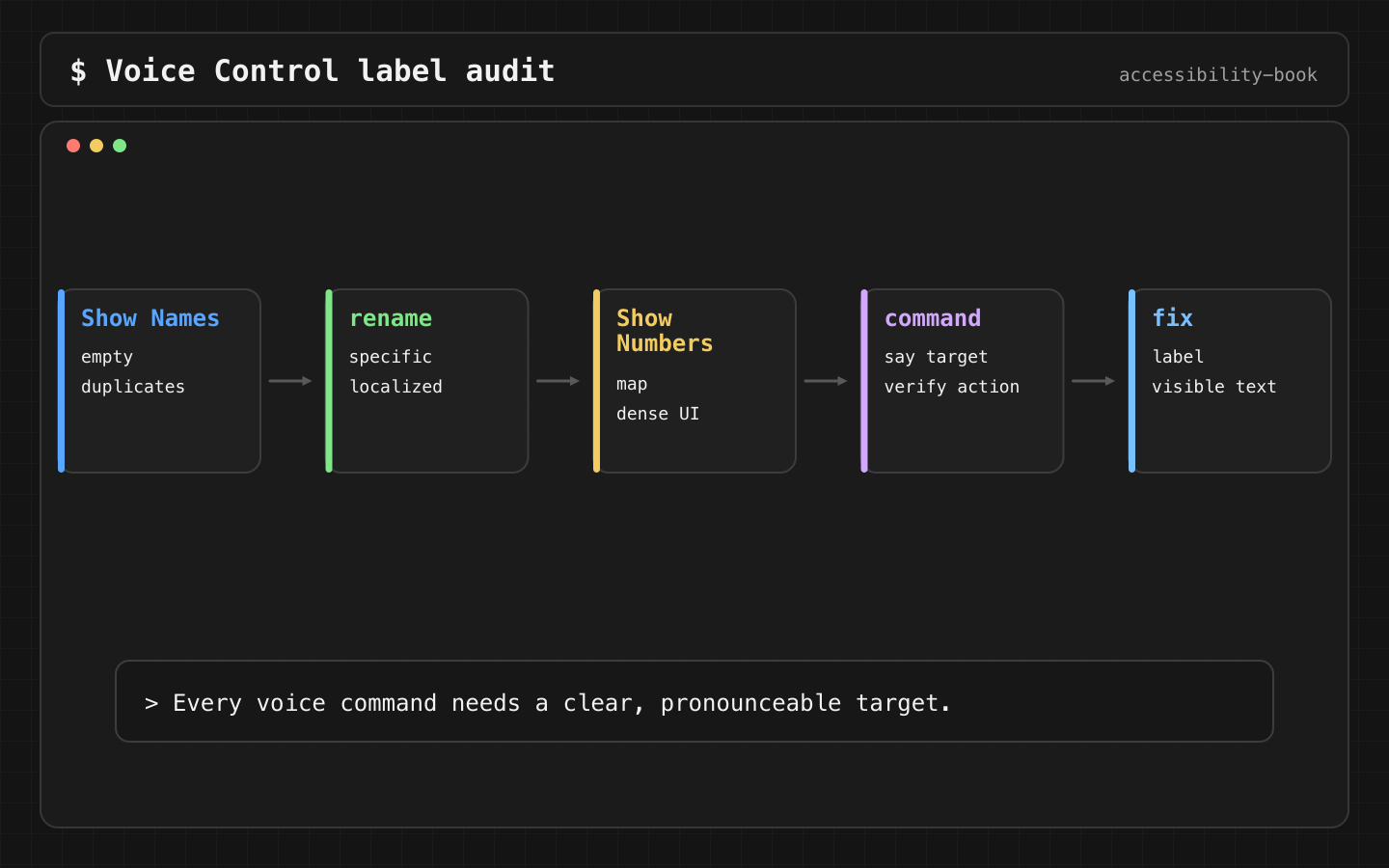
The audit
- Turn on Voice Control: Settings → Accessibility → Voice Control.
- Say "Show names". Every control gets its name as an overlay.
- Look for missing names, duplicates and vague names.
- Say "Show numbers" on dense screens: maps, grids, toolbars.
- Complete the core task by voice only.
A screenshot with the overlay is enough evidence. One screen shows the whole problem.
Task:      edit delivery details
Command:   "Show names"
Actual:    three controls named "Edit"
Expected:  Edit address, Edit payment, Edit delivery time
Impact:    the user can't pick the right control by name
The rule
Verdict: every control has a stable, unique, human name. The name contains the visible text, so what the user sees is what they can say.
Why: Voice Control matches the spoken command against the accessible name. A duplicate forces "Show numbers" every time. A name that doesn't contain the visible text makes the visible word fail as a command (WCAG 2.5.3 Label in Name).
Fix
Icon button:
Button { deleteCard() } label: { Image(systemName: "trash") }
    .accessibilityLabel("Delete card")
Repeated control, with the object:
deleteButton.accessibilityLabel = "Delete card ending in 4242"
Visible text that's shorter than the label keeps working as a command:
Button("Edit") { edit(address) }
    .accessibilityLabel("Edit home address")      // starts with the visible "Edit"
Button("Add to cart") { add(tea) }
    .accessibilityLabel("Add \(tea.name) to cart")
    .accessibilityInputLabels(["Add to cart", "Add \(tea.name)"])
Before and after:
Before:  Close / Close / Close
After:   Close filters / Close payment sheet / Close support chat
Before:  More
After:   More payment options
Names are written as whole localized strings, not assembled from English fragments. They have to sound natural in every language the app ships.
Voice Control and VoiceOver differ
An interaction that's fine for VoiceOver can be awkward by voice. An adjustable size picker is two swipes for VoiceOver and five "Increase" commands for Voice Control.
Weaker:    "Size, adjustable"
Stronger:  "Small", "Medium", "Large" as separate buttons
Automation
Voice Control itself can't be automated, but missing names can be caught:
try app.performAccessibilityAudit(for: [.sufficientElementDescription])
It won't catch duplicates or Label in Name mismatches. Those need the audit above.
What we don't do
- We don't give two controls on one screen the same name.
- We don't write a label that drops the visible text.
- We don't put the object only in the hint. Voice Control ignores hints.
Related materials
Chapter 3, Chapter 8, Duplicate Voice Command, Mystery Icon, Icon Button Label, Semantic Control, Adjustable controls, VoiceOver output debugging, Accessibility testing toolkit.
Sources
Apple Support: Use Voice Control on iPhone, Apple Developer: accessibilityInputLabels, Apple Developer: Performing accessibility audits for your app, W3C: Understanding SC 2.5.3 Label in Name.