Duplicate Voice Command
Status: ready
Symptom
The screen has several controls with the same name: "Edit", "Edit", "Edit", "Add", "Add", "Add". A Voice Control user says "Tap Edit" and gets a number on each one. A VoiceOver user hears "Edit, button" without knowing what it edits.
Where it shows up
Settings sections, address books, payment methods, product lists, profile sections, media lists, support tickets.
Why it blocks the task
A voice command should map to an intent. If every row says "Edit", the user has to say "Tap Edit", read the numbers, then say "Tap 3". Three steps instead of one, on every action. With VoiceOver the user has to swipe back to find out which row the button belongs to.
Root cause
The visible label was shortened for layout, and nothing added the object back.
- Repeated row actions share one label.
- Icon buttons are all named "More".
- Media controls repeat "Play".
- The team tested VoiceOver, not Voice Control.
Before
Button("Edit") { edit(address) }
Button("Edit") { edit(payment) }
Fix
Verdict: the name says what the action acts on. Visible text when it fits. When the visible text has to stay short, the accessible label adds the object and starts with the visible text.
Why: "Tap Edit address" works in one step. Starting with the visible word keeps Label in Name: what the user sees is still a valid command.
Visible context, best when the design allows:
Button("Edit address") { edit(address) }
Button("Edit payment") { edit(payment) }
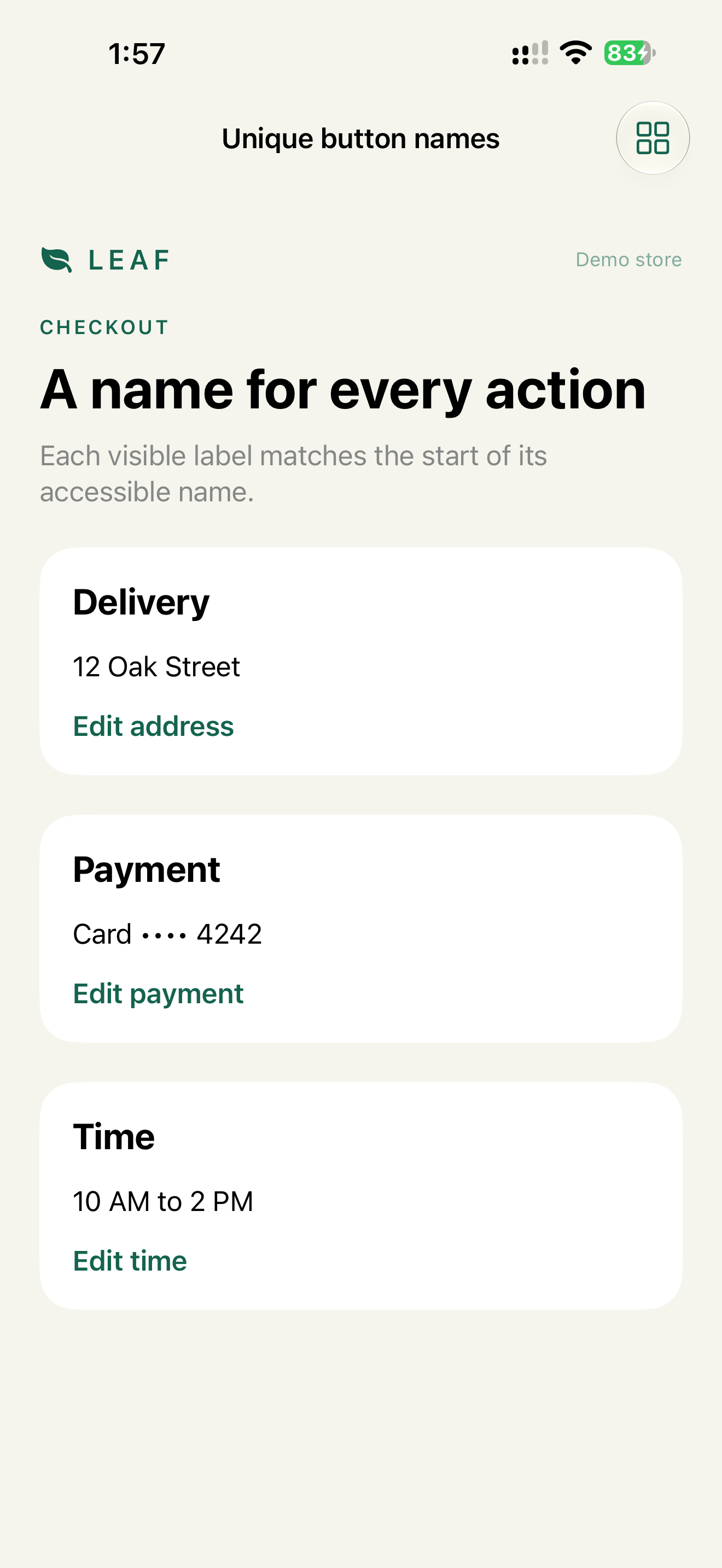
Short visible text, context in the label:
Button("Edit") { edit(address) }
    .accessibilityLabel("Edit home address")

Button("Edit") { edit(payment) }
    .accessibilityLabel("Edit Visa ending in 4242")
When the visible text isn't the start of the label, add it to the input labels so the visible word still works:
Button("Add to cart") { add(tea) }
    .accessibilityLabel("Add \(tea.name) to cart")
    .accessibilityInputLabels(["Add to cart", "Add \(tea.name)"])
"Tap Add to cart" shows numbers on every row, which is expected for a shared visible word. "Tap Add jasmine tea" goes straight to one row.
What we don't do
- We don't give two controls on one screen the same accessible name.
- We don't put the object only in the hint. Voice Control doesn't use hints.
Check
Profile:   Voice Control
Task:      "Tap Edit address", "Tap Edit payment", "Tap Add jasmine tea"
Expected:  each command activates one control, no numbers
           "Tap Add to cart" shows numbers, then works
Profile:   VoiceOver
Task:      swipe through the list
Expected:  every action names its object
WCAG mapping
2.5.3 Label in Name: the accessible name contains the visible text.2.4.6 Headings and Labels: labels describe the purpose.4.1.2 Name, Role, Value: controls have usable names.